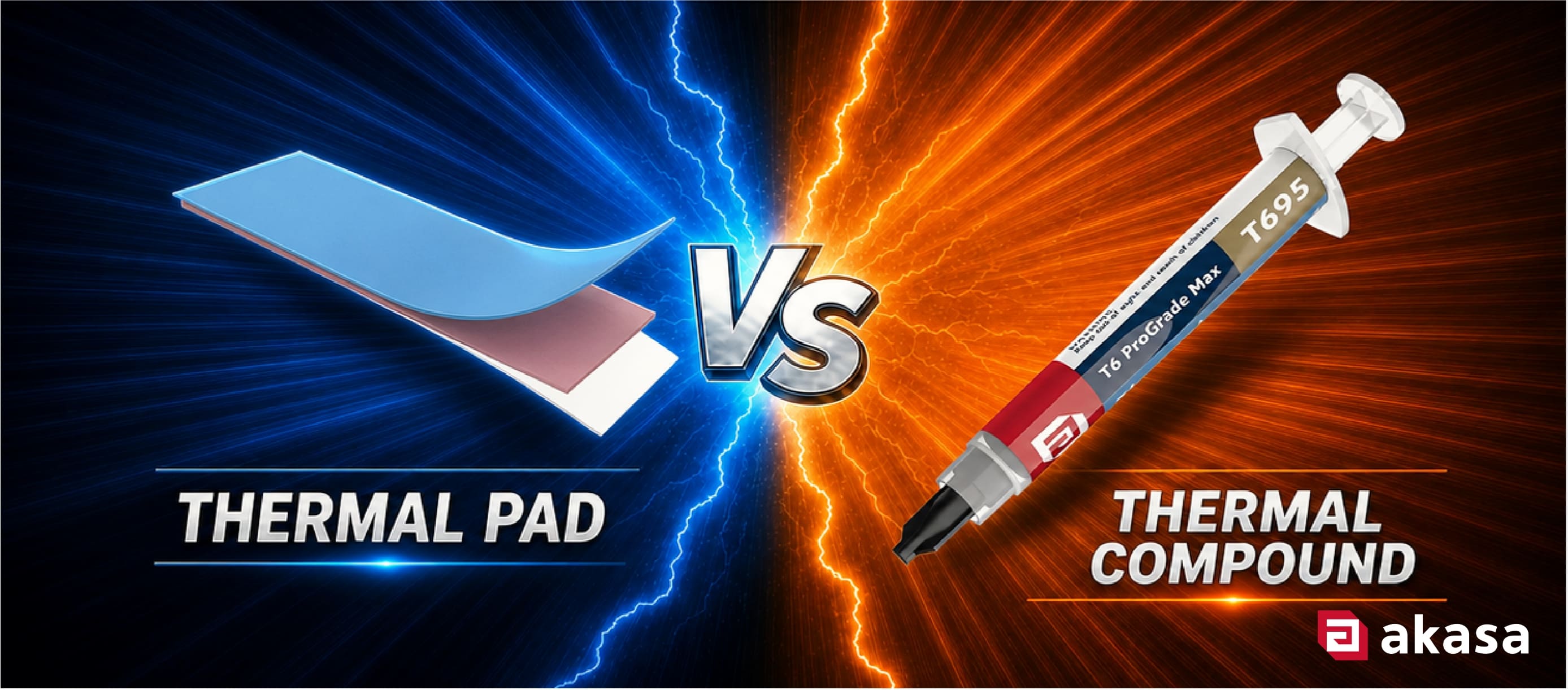
 Thermal compound goes between two flat, tightly clamped surfaces, like a CPU and the base of its cooler. Thermal pads go where there is a real gap to bridge, like the VRMs, the chipset, or an M.2 SSD under its heatsink. Both are thermal interface material (TIM) and both exist for one reason: the metal surfaces that look flat to your eyes are not flat at all.
What Is TIM and Why Does Your PC Need It?
Every part that makes heat has to transfer that heat to a cooler or heatsink. That means the CPU, the GPU, chipsets, VRMs and M.2 SSDs. The problem is contact. Zoom in with a microscope onto any machined metal surface and you will see peaks and valleys. When a cooler sits on a CPU, only a fraction of the two faces actually make contact. The rest is tiny air gaps and air is one of the worst heat conductors you can have sitting in that spot.
TIM fills those gaps, pushing out trapped air with a material that conducts heat far more effectively. TIM comes in two main forms: thermal compound and thermal pad. Both serving as thermally conductive bridges between a component and its cooler, but each suited to different applications.
What is Thermal Compound?
Thermal compound (also called thermal paste, thermal grease, or TIM paste) is a thick, spreadable material. The base is typically a polymer or silicone, packed with particles that conduct heat well: ceramic, metal oxide, or in high-performance formulas, metal or carbon.
You apply a thin layer between two surfaces, most often a CPU or GPU die and the cooler's base plate. Under clamping pressure, it spreads and stays semi-liquid, so it flows into all those microscopic dips. Applied well, it leaves an extremely thin layer with very low thermal resistance and heat moves across it easily.
What is a Thermal Pad?
A thermal pad is pre-cut solid or semi-solid sheet, usually silicone-based and ceramic-filled. It comes in set thicknesses and you do not spread it. You place it between a component and its heatsink and it compresses slightly under pressure to conform to the surfaces.
The point of a thermal pad is filling gaps. Motherboard components sit at different heights. Sometimes a gap exists that compound would just squeeze out of and flow away from. A thermal pad of the right thickness fills that gap and maintains contact between surfaces. That is why pads are standard on VRMs, chipsets and M.2 SSDs, anywhere you need contact across irregular or multiple surfaces simultaneously.
Thermal Compound vs Thermal Pad
Both serve the same fundamental purpose, but with different trade-offs.
Thermal compound gives you the thinnest, lowest-resistance layer, but only on flat surfaces sitting close together. It requires you to clean it off and reapply every time the cooler comes off.
A thermal pad gives up a little peak thermal performance for flexibility. It bridges gaps, tolerates height variation and can often be reused without replacing it.
| Feature | Thermal Compound | Thermal Pad |
| Form | Viscous paste | Solid, compressible sheet |
| Gap-filling ability | Best for flat, parallel surfaces | Made to bridge uneven gaps |
| Reusability | Single use; requires cleaning and reapplying | Often reusable (if undamaged) |
| Application | Needs some care and technique | Peel, place, done |
| Cost | Generally lower | Generally higher |
| Typical use cases | CPU/GPU die to cooler base plate | VRMs, chipsets, M.2 SSDs, multi-component heatsinks |
Which One Should You Use?
Reach for Thermal Compound When:
- You are fitting a CPU or GPU cooler directly onto a die or heat spreader
- The two surfaces are flat, rigid and sit close together with barely any gap
- You want the lowest thermal resistance you can get and are comfortable applying it properly
- You are reapplying TIM after removing a cooler for maintenance, cleaning or an upgrade
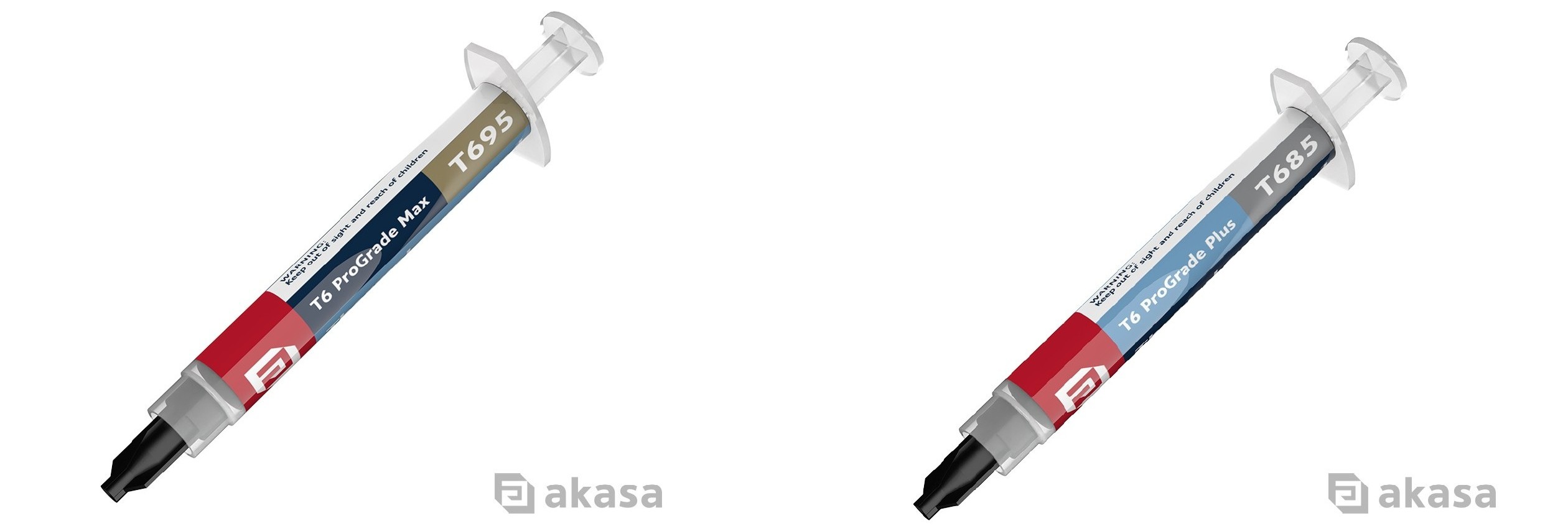
For serious performance builds, Akasa's T6 thermal compound range features non-curing, non-electrically conductive compounds that ship with cleaning wipes and a spreader in the box. The T6 ProGrade Max sits at the top, with thermal conductivity rated up to 14.8 W/mK, operating from -50°C to 280°C and with a viscosity of 95,000 mPa·s, suited to demanding builds. The T6 ProGrade+ is rated at 12.2 W/mK conductivity, 85,000 mPa·s viscosity and an operating range of -50°C to 250°C, which fits a strong consumer build without pushing to the extreme.
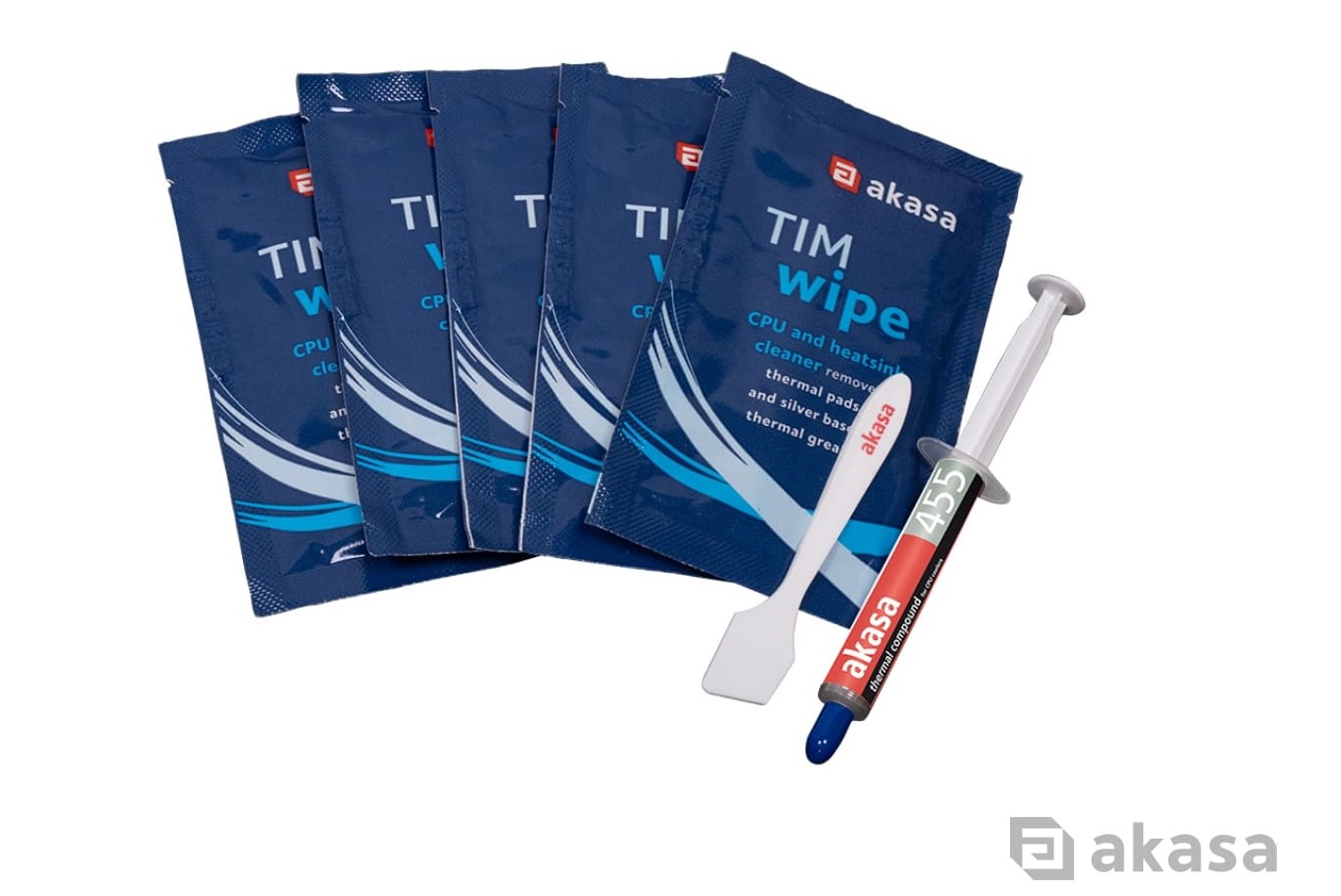
If you just need a clean reapplication kit, the TIM Wipe Kit puts it in one pack: citrus-based solvent wipes to strip old thermal compound off a CPU, GPU or heatsink, a spreader and 5g of AK-455 compound (2.4 W/mK) for everyday CPU cooling.
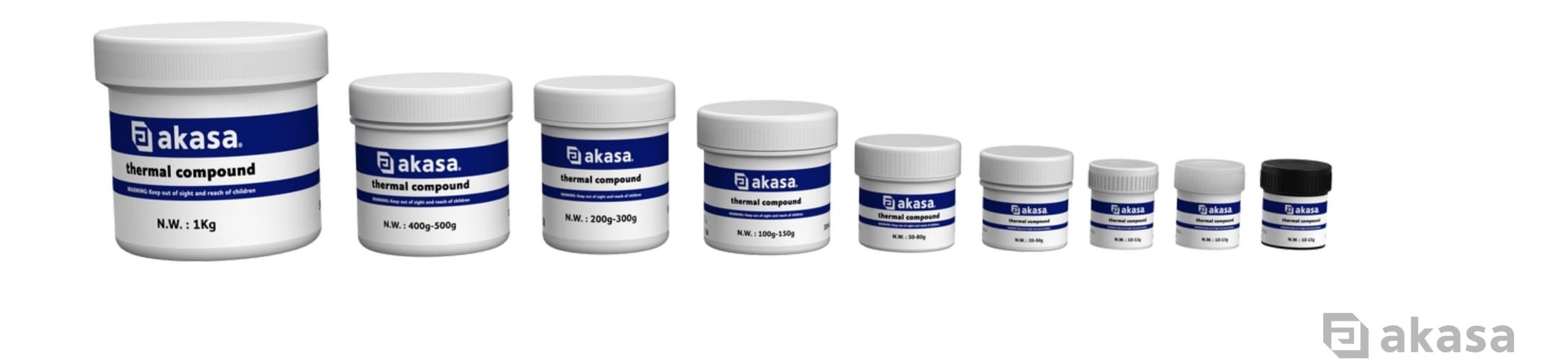
For bulk supply, we also offer thermal compounds in volumes from 10g bottles up to 1kg. Contact the Akasa team for more details.
Reach for a Thermal Pad When:
- You are cooling components that sit at different heights under one shared heatsink (VRMs, chipsets, M.2 SSDs)
- The gap between surfaces is larger or less consistent than compound can reasonably bridge
- You want a clean installation that doesn't require a new tube every time you take it apart
- You are cooling something that you will pull out and reinstall repeatedly
Akasa’s thermal pads use a ceramic-filled silicone elastomer, which is non-corrosive and non-electrically conductive, rated from -40°C to 160°C. The M.2 SSD Thermal Pad Plus comes in a pack of three at 1.5mm thick, 6 W/mK thermal conductivity, a Shore 00 hardness of 45 and density of 2.95 g/cm³. The standard M.2 SSD Thermal Pad is thinner at 1mm, with a 1.2 W/mK thermal conductivity, shore 00 hardness of 27 and a density of 2.1 g/cm³. For larger surface coverage, cut-to-size options are also available in 1.5mm and 5mm thicknesses to suit wider or deeper gaps.
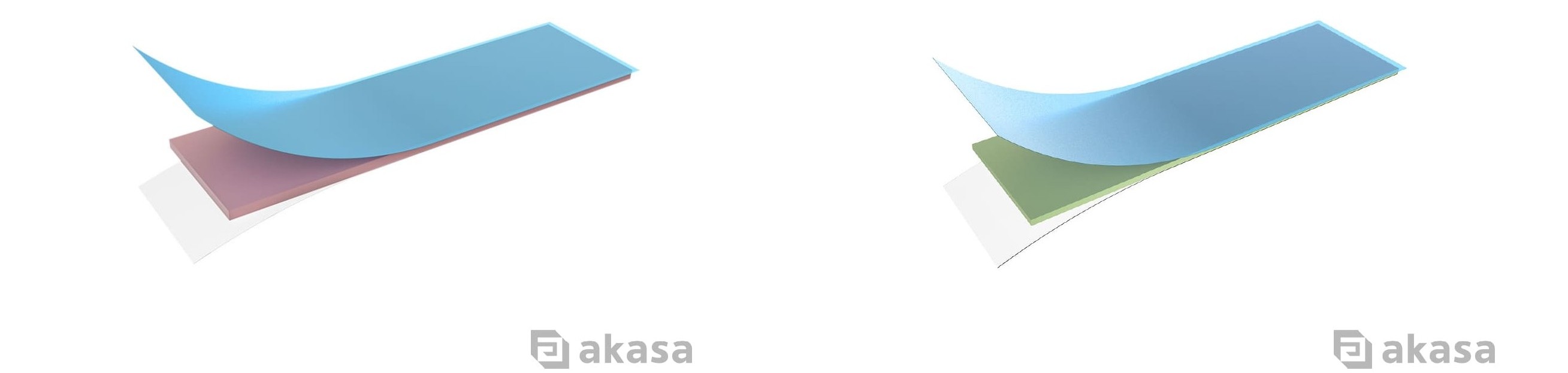
For enterprise and industrial use cases, including telecom, AI infrastructure, servers and data centres, and medical applications, we also offer custom thermal pad solutions across a range of sizes, thicknesses, and thermal conductivity values from 1.2 W/mK up to 8.0 W/mK. Contact the Akasa team for more details.
What to Look for on a Datasheet
Once you've decided which type of TIM you need, you now need to pick which model suits your requirements the most. Here's what the key numbers mean:For Thermal Compound
- Thermal conductivity (W/mK): This is the headline figure on most datasheets. Higher means more heat can move through the material itself. Read it as the ceiling the material can reach. You get there with a thin, even layer and firm, even mounting pressure, so how you apply the paste counts as much as the number on the tube.
- Operating temperature range: A compound that's stable at idle temperatures but begins to degrade during sustained 80°C+ loads will quietly lose performance over months of use. Check the rated range covers your expected operating conditions.
- Electrical conductivity: Most consumer ceramic pastes are non-conductive. Confirm it on the datasheet anyway before you work near exposed pins. Metal-particle pastes can conduct electricity, which becomes a short-circuit risk if any spreads where it should not.
- Viscosity (mPa·s): Lower-viscosity compounds spread more easily under mounting pressure but can pump-out over repeated heat cycles. Higher-viscosity compounds hold their shape better but require more care to spread evenly.
For Thermal Pad
- Thickness and dimensions: Too thin and it will not touch every surface. Too thick and the heatsink cannot seat properly, or the pad puts stress on the board.
- Hardness and density: Softer pads mould to uneven surfaces more easily, which helps when bridging uneven surfaces. Denser, harder pads survive more removal and reinstallation cycles.
Application Tips Worth Knowing
Thermal Compound
- Clean both surfaces first: Remove all old compound from the die and cooler base plate before reapplying. Leftover residue creates an uneven base layer.
- Use less than you think: A pea-sized dot or thin line down the centre of the die is plenty. Too much can pump out over repeated heat cycles.
- Mount in one motion: Bring the cooler straight down and tighten screws in a cross pattern for even pressure. Wiggling it in traps air bubbles.
- Reapply after every removal: Once the cooler comes off, clean both surfaces and apply fresh compound.
For a step-by-step tutorial, watch the Akasa thermal compound application guide.
Thermal Pad
- Measure your gap before ordering: Thickness is the spec that matters most and it varies by board, component height and heatsink design.
- Clean the surfaces: Clear dust, old adhesive or debris from both sides.
- Do not over-compress: A thermal pad is built around compressed thickness. Cranking it tighter will not help performance and can stress nearby components.
- Cut to size carefully: If you trim to fit, a slight edge gap is easier to live with than a pad that comes up short.
- Peel the protective film from both sides: Leave it on and almost no heat gets through.
If you're still not sure which TIM fits your build, the Akasa team is happy to help. Get in touch via our contact form.
Frequently Asked Questions
Can I use thermal compound instead of a thermal pad? Sometimes, if the gap is small and both surfaces are flat. Across a real gap, the compound squeezes out and leaves an air pocket, so a pad of the right thickness is the safer choice there.Can I use a thermal pad on my CPU? You can, but you give up performance. A CPU and its cooler sit flat and close together, which is exactly where compound works best. Pads earn their place where there are gaps to fill.
How often should I replace thermal compound? Every time you remove the cooler. Otherwise, a good non-curing thermal compound can last years. If temperatures creep up over time, a fresh application is a cheap fix.
Are thermal pads reusable? Sometimes, if the pad is undamaged and clean. Once a pad has been compressed and heat-cycled it can lose a little contact quality, so a fresh one is the safer bet when temperatures matter. Thermal compound is single use.
Is thermal compound electrically conductive? Most consumer ceramic compounds are not. Metal-based compounds can be. Check the datasheet before working near exposed circuitry.
What thickness thermal pad do I need? Measure the gap between the component and the heatsink. Common M.2 pads run between 1 mm to 1.5 mm. Guessing risks poor contact or a heatsink that will not sit well.


